UpWill in Claude.
Connect UpWill to Claude and plan with your own days at hand. Claude can add notes to My Diary, find your notes when you ask about them, show your plans and the days you recorded, and change a plan when you ask. Every change goes through UpWill, with Undo.
Connect it
- UpWill is in Claude's connector directory. In Claude, open Customize → Connectors, choose + and find UpWill. On a Team or Enterprise plan, an owner adds it in Organization settings → Connectors.
- Choose Connect. UpWill opens: sign in with Google or Apple, and approve.
You can also add it yourself: choose Add custom connector, name it UpWill and enter the address https://upwillapp.com/mcp (Claude's free plan allows one custom connector). You need an UpWill account with a trial or a subscription.
Things to ask
- “Add to my UpWill diary: I read for 20 minutes this morning.”
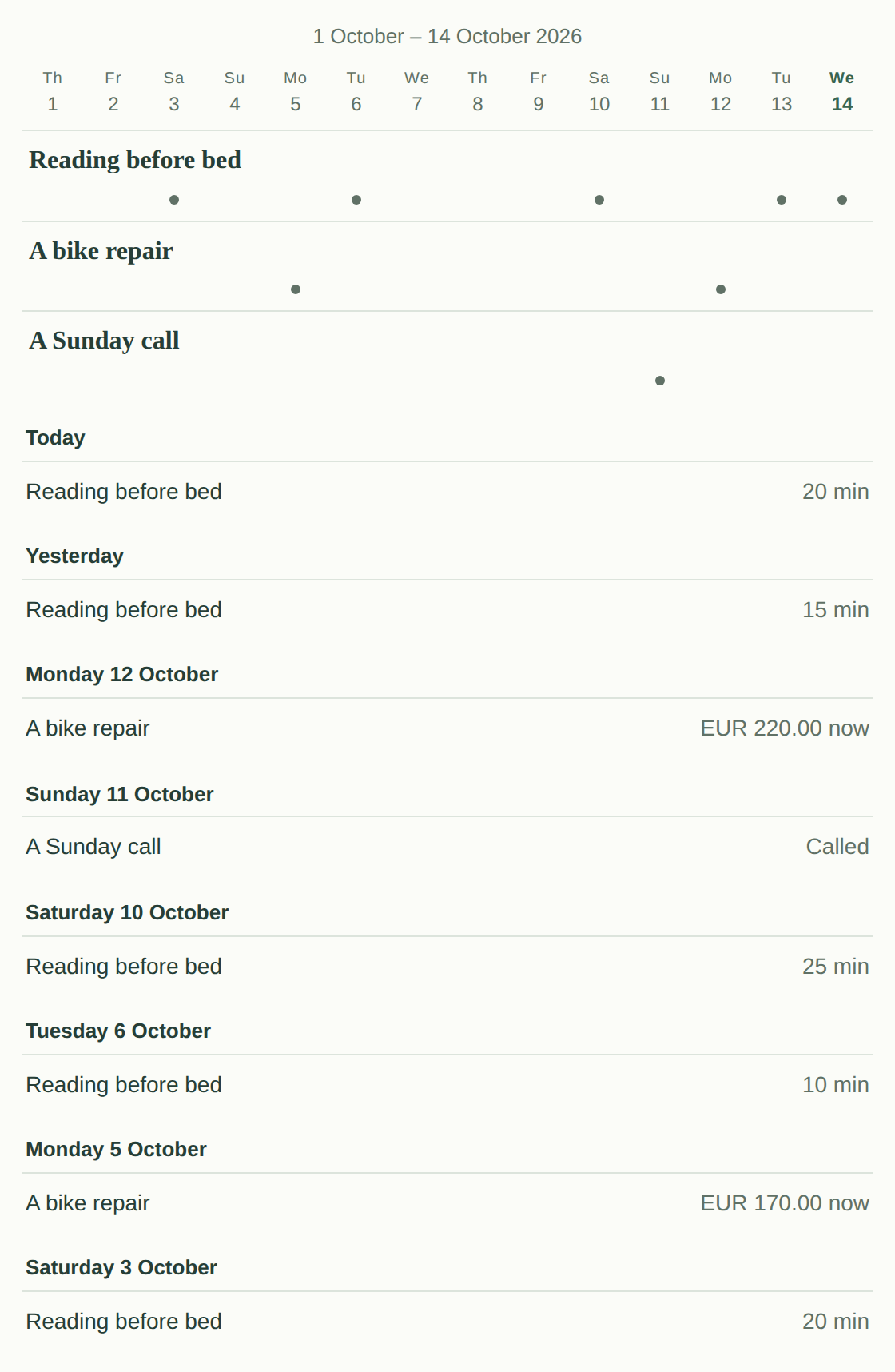
- “Show my last two weeks in UpWill.”
- “What did I record in UpWill this week?”
- “When did I last go to the dentist? Look in my UpWill notes.”
- “Set the next step for my reading plan to: leave the book by the bed.”
- “Look back at my week in UpWill with me.”
What Claude can do
- Add a note in your words. UpWill reads it as always: clear updates go to your plans with Undo, and when something isn't clear, it asks in the app.
- Read your plans, the days you recorded, your week and your recent notes.
- Search your notes when you ask about them in your words, like “When did I last…?” or “How much did I put into the trip in September?”. UpWill finds the notes with their dates, adds up what your plan recorded, and Claude answers from them.
- Change a plan when you ask: its next step, pause or resume it, or make it your main plan. Claude asks you before it changes one.
- Record a check-in on a time, rest or sleep plan, or what a savings goal or a bill holds now.
- Undo an update UpWill recorded from a note.
Your data, your choice
You approve the connection on UpWill's own screen, and Claude never receives your Google or Apple sign-in. What Claude reads through the connection goes to Anthropic and is handled under your Claude account and its settings.
Disconnect it any time in UpWill, Settings → Connected apps; it stops working at once. See the privacy notice, or write to support@upwillapp.com.
New to UpWill?
UpWill is a companion for your plans: speak or write about your day, and your notes keep your plans up to date.
Start your 7-day free trial